Category: Escalador Audio

Escalador Audio

Acknowledgments

April 24, 2022

We wish to thank all the people, websites and also some companies for their contribution to the Escalador Audio project;

First of all, my wife Vicky Estevez for her constant and invaluable support.

My son, the composer and percussionist Daniel González Estévez, for his invaluable support within all the years of conception of the Escalador platform. Every time I asked him for advises or critics, his answers where very useful and helpful.


Mozilla

“Mozilla makes browsers, apps, code and tools that put people before profit.
Our mission: Keep the internet open and accessible to all.”

Thanks to Mozilla, the Escalador Audio is made with Firefox Browser

Also we would like to thank Paul Adenot for the Web Audio Api used on the Escalador Audio’s Reverberator.


Stackoverflow – https://stackoverflow.com/

“A public platform building the definitive collection of coding questions & answers.”
“A community-based space to find and contribute answers to technical challenges, and one of the most popular websites in the world.”

Of course, for developing the Escalador Audio Stackoverflow was a very important website where we found a lot of answers to many questions.

Thanks to:

Marc Stober – https://stackoverflow.com/users/119901/marc-stober


Github – https://github.com/

“Where the world builds software”
“Millions of developers and companies build, ship, and maintain their software on GitHub
—the largest and most advanced development platform in the world.”

Thanks to:

Andi Brae – https://github.com/andibrae
Pedro Ladaria – https://github.com/pladaria
Darrel Banks – https://gist.github.com/hacknightly

Pedro Siqueira – https://github.com/pedrovsiqueira?tab=stars, https://www.pedrosiqueira.com.br/
We where inspired on the audio javascript works of Pedro Siqueira to produce the Instrument Nº 1, and also the Instruments Nº 2 and Nº 3 that will be released on the next versions of Escalador Audio.


Brian Koponen – https://www.briankoponen.com/
Thanks to Brian Koponen we consulted some important javascript code tips very useful for the Escalador Audio application.


Open Air – https://www.openair.hosted.york.ac.uk/

Thanks to Open Air website, we use on the Escalador Audio’s Reverberator, some of the remarkable reverberations they created.


Patrick Breen – https://www.youtube.com/watch?v=3OZD_iHNk6I
For his tutorial: how to screen record your DAW with internal sound, using BlackHole audio driver.


Devin Roth – https://devinrothmusic.com/
Thanks to Devin Roth’s BlackHole extension for audio, Escalador Audio’s sounds can be recorded to applications like Logic Pro.


The BlackHole extension – https://existential.audio/blackhole/
Thank to BlackHole extension, Escalador Audio’s sounds can be recorded to applications like Logic Pro.


W3Schools – https://www.w3schools.com/

“Learn to Code, with the world’s largest web developer site.”

Thanks to W3Schools we where confronted with some code problems and solved it with their powerful online code editor.


Toptal – https://www.toptal.com/designers/htmlarrows/

“A delightful reference for HTML Symbols, Entities and ASCII Character Codes”

Toptal helped us to compare some html symbols and codes for the Escalador Audio.


The JavaScript Event Keycode Info – https://keycode.info

Thanks to this versatile website we solved some JavaScript questions about Keycode Events


Special thanks to the friend and colleague Williams Montesinos – https://sonocreatica.org

Williams was an invaluable support for the process of constructing the Escalador Audio. Thanks for his clear commentaries about some of the implementations of the User Interface of the Escalador Audio.

One of the first utilization of the Escalador Audio was made by Williams Montesinos in 2019. Of course the Escalador Audio was not finished, but we where trying to experiment things with it. So by this time, he played some sounds from the Escalador Audio keyboard, he recorded it, and constructed a sound-font with that sounds, then he created two works using the application Musescore: Fluctuaciones Evemenciales Isométricas and Acúsmato Opus 5G / 2020 based on that sound-font material. The works are a sort of impressive sonic landscapes.
 

Escalador, Escalador Audio

Audio requirements

April 21, 2022

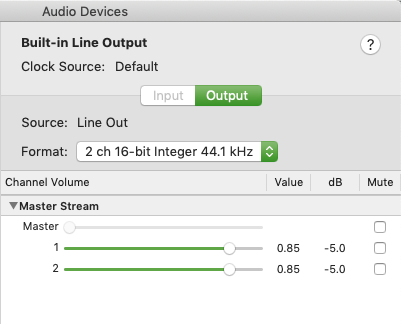
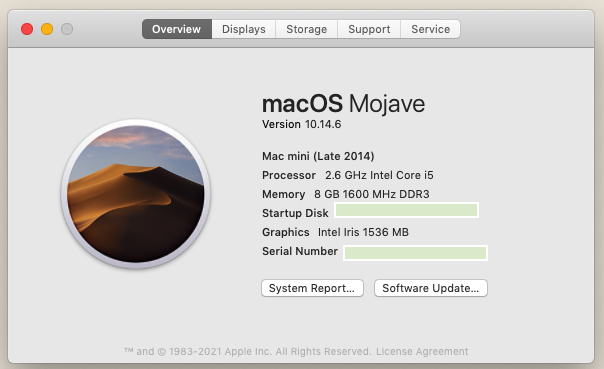
• For a Mac mini computer (or other computer) with a processor of 2.6 GHz 64-Bit Intel Core i5 with 8 GB of RAM, we recommend for the audio output: 2 channels 16-bit Integer (or 24 bits integer) @ 44.1 kHz


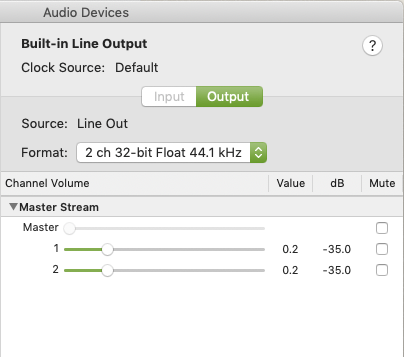
• Or 2 channels 32-bit Float @ 44.1 kHz (we recommend this set for a Mac Pro late 2013, 2019 release in our case) rather than 2 channels 32-bit Float @ 48 kHz


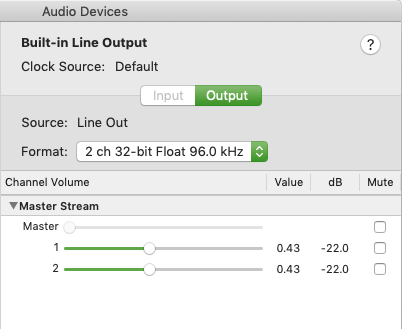
• Depending of your system, you can choose higher values, for example, 2 channels 32-bit float @ 96 kHz


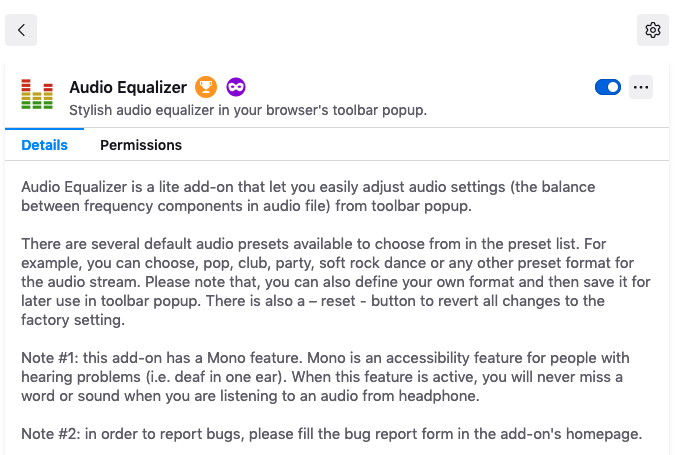
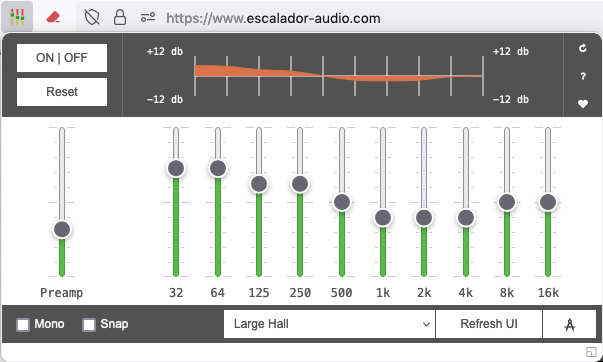
• We recommend a very useful equalizer: Audio Equalizer, that can be used with the Escalador Audio.


Of course, if you have adequate performance audio hardware, you can turn off Audio Equalizer in order to use your sound hardware equipment.


Escalador, Escalador Audio

System requirements

Escalador – System Requirements


• Minimum requirements:

For a Macintosh computer, system Sierra or above is recommended.

A computer with at least a processor equivalent to a 2.6 GHz 64 Bit Intel Core i5 8 GB of RAM.

• Recommended: 16 GB of RAM or even more.

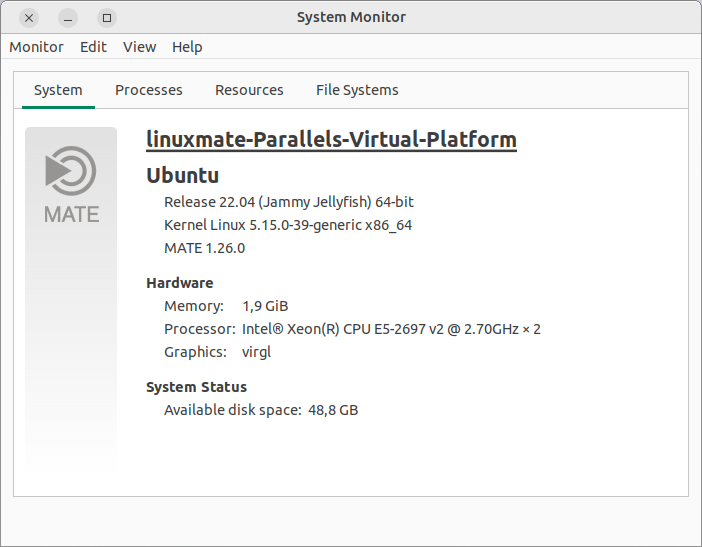
Of course, on Windows 10 or Linux (Ubuntu 20.04.4), it works fine using the requirements showed above.

• Important notice:

When using the Escalador Audio, on a computer with 8 GB of RAM, in some circumstances some non desired sound clicks or sound glitches could be heard because of the RAM memory had reached its maximum capacity.


• Important Issues found on Linux systems:

Because of a BUG on Linux, before launching Escalador and in order for Escalador Audio work properly, first run Firefox and then launch Escalador.
• Using the last version of Linux, on our case: Ubuntu Linux Mate 22.04, the BUG is not present.


• About erratic windows on Linux


• About MAC address on Linux

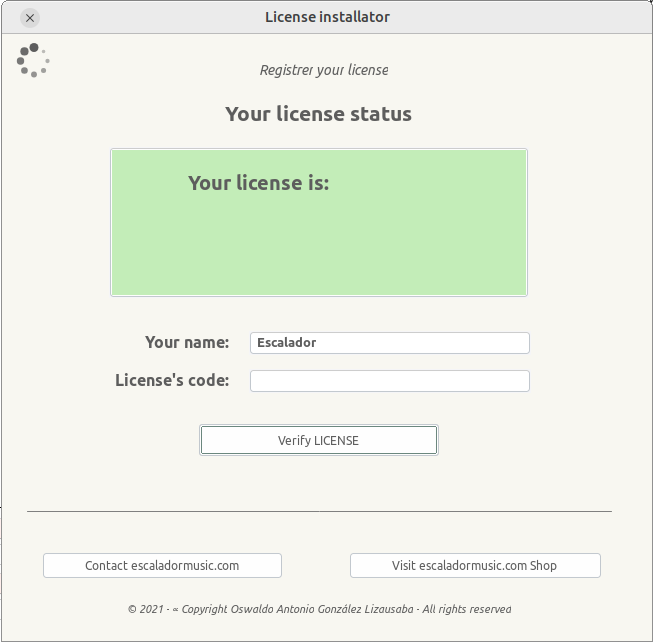
After launching for the first time Escalador, the Installer will ask you to enter your name and the License code.


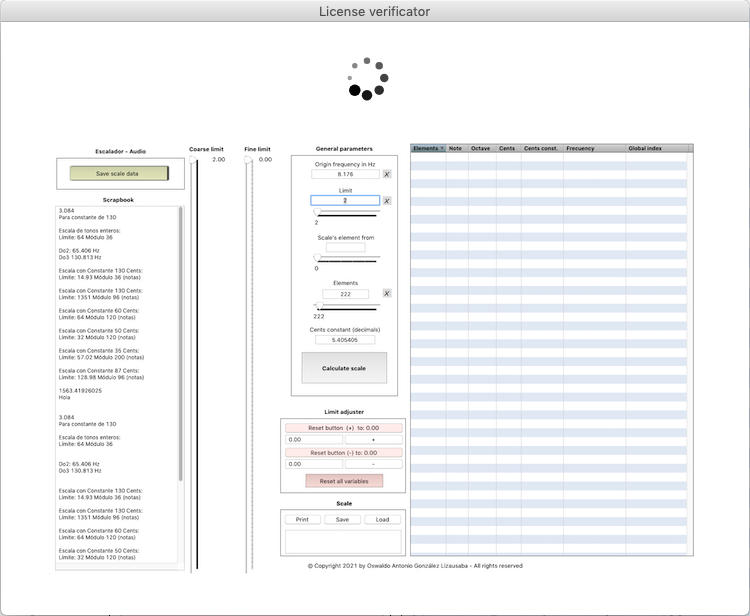
• After entering correctly your name and the License code, you see an idle window like the one showed below:

If it continues on the idle state, it means that your Linux system do not have yet a proper MAC address.

• To solve this problem, you have to stop the installation of Escalador, then:

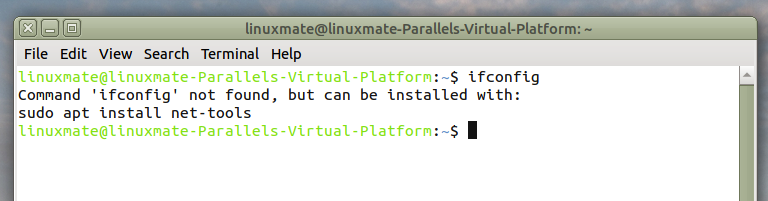
1. Open your terminal program, and enter: ifconfig (then do an enter or return key)
If you see as a result: Command ‘ifconfig’ not found, but can be installed with: sudo apt install net-tools

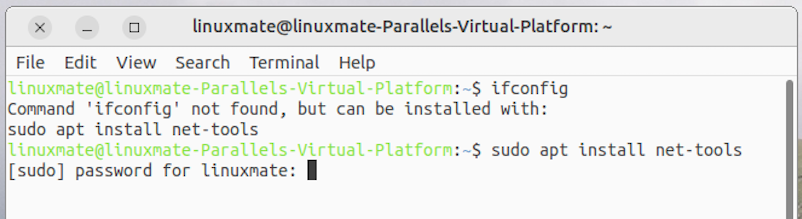
2. In order to solve the problem, on the terminal program simply put the line code:
sudo apt install net-tools
and then, your password

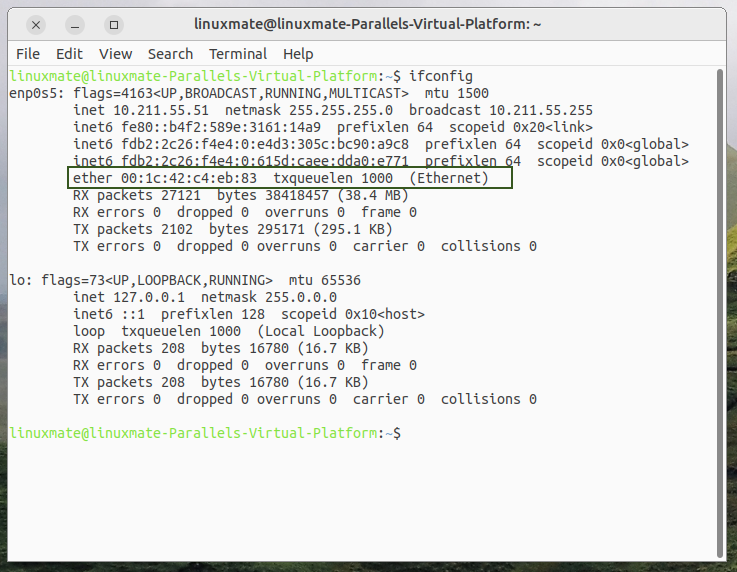
• Then, at the end of the process, it will show your MAC address on the terminal window and you will be able to install properly the Escalador.


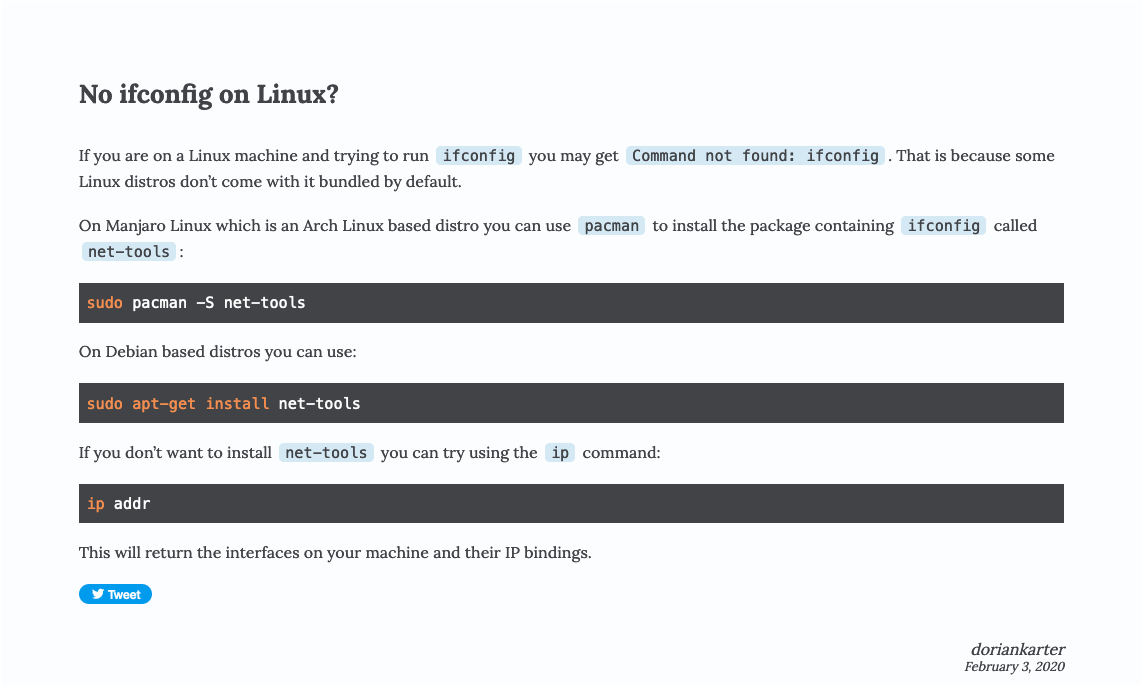
On Manjaro Linux which is an Arch Linux based distro you can use pacman to install the package containing ifconfig called net-tools:

sudo pacman -S net-tools

On Debian based distros you can use:

sudo apt-get install net-tools

Escalador, Escalador Audio

Firefox

April 20, 2022

The browser

The Escalador Audio is made to be used only on Firefox. Other browsers will not work.
We recommend to use the last version of Firefox.

The localStorage

LocalStorage is necessary to used correctly the Escalador Audio.
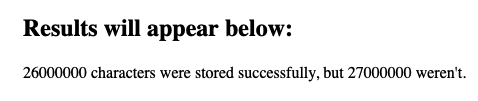
We recommend to make a test of localStorage here before buying the Escalador software.

If you see that: … characters were stored successfully… (see below), it means that localStorage is working fine on your Firefox browser, and you can use Escalador Audio.


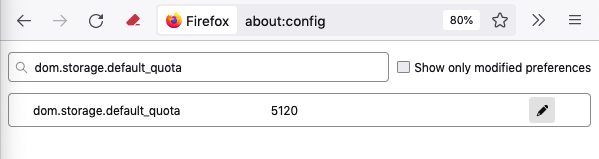
You can use about:config on Firefox to see (and change if you like) the default quota for localStorage

The maximum possible number is 2147483647. We recommend to put this value is you plan to use several Escalador Audio windows.


Plugin:

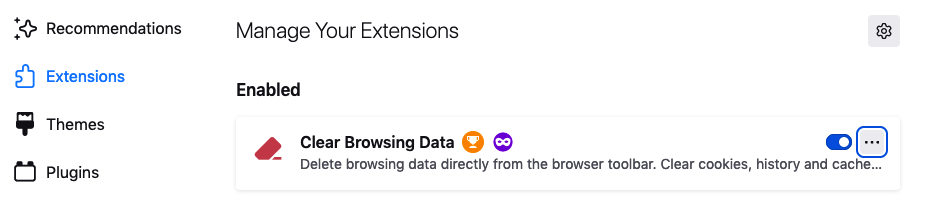
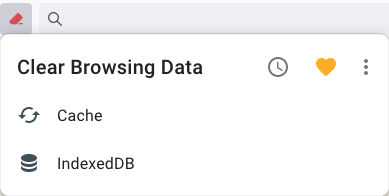
We recommend the use of Clear Browsing Data

Get Clear Browsing Data


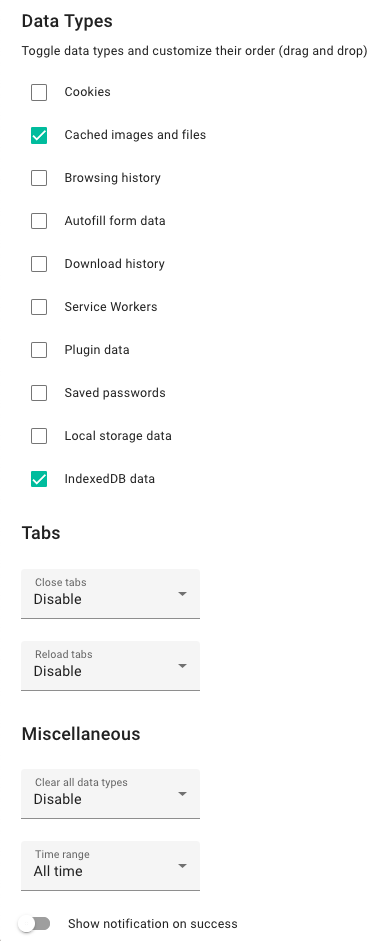
We recommend to choose this preferences:

At the Firefox tab-bar you can then choose the function you need

It is a good practice to clear the cache periodically


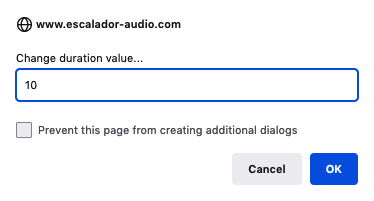
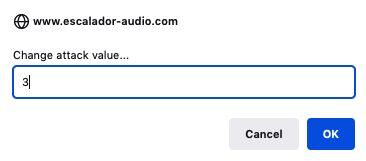
Disable “Prevent this page from creating additional dialogs”

It is very important NOT to click on the “Prevent this page from creating additional dialogs” square button because Escalador Audio needs this window to work properly.

But you can disable this message to be showed, for example, to prevent accidental clicking this square button.
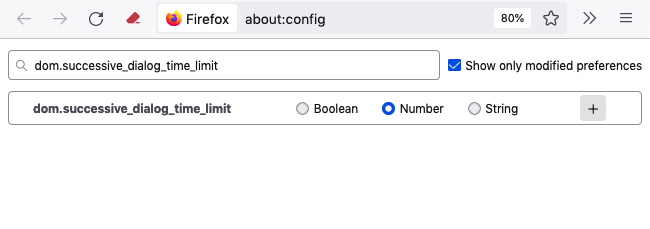
To do so:
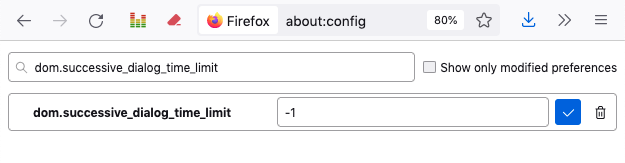
• 1 Enter about:config into the url field of Firefox
• 2 Search for dom.succesive_dialog_time_limit
• 3 Click the Number radio button


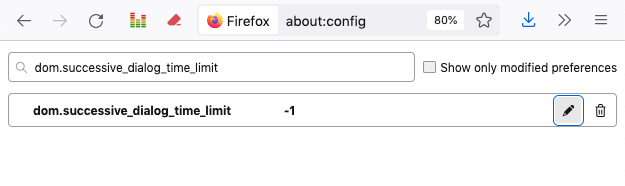
• 4 Put -1 (or 0) on the field and click the blue button


Now we can see the window but without the radio button.


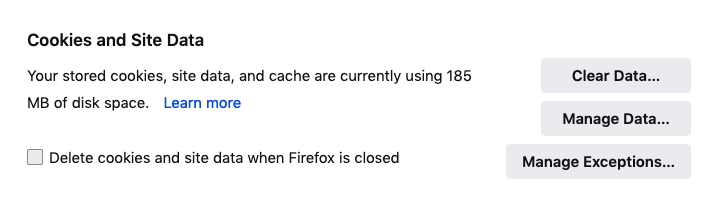
For Cookies and Site Data:

If you want to preserve the Escalador Audio’s Windows Guides positions, you have to leave unclicked the Delete cookies and site data when Firefox is closed square button


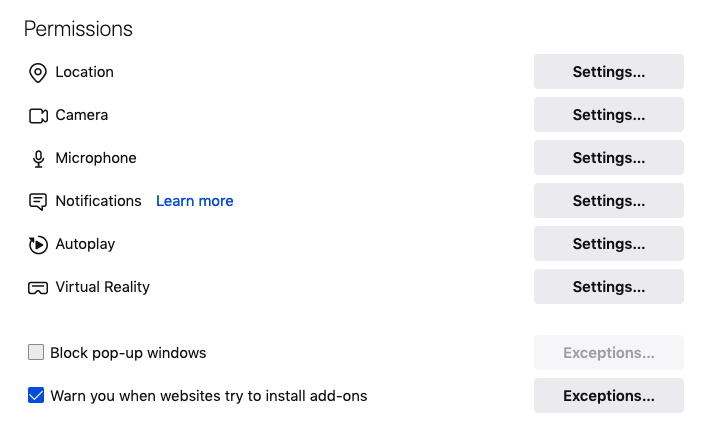
Concerning the Block pop-up windows
Escalador Audio uses pop-up Windows

Solution 1: Do not click the square button for pop-up windows


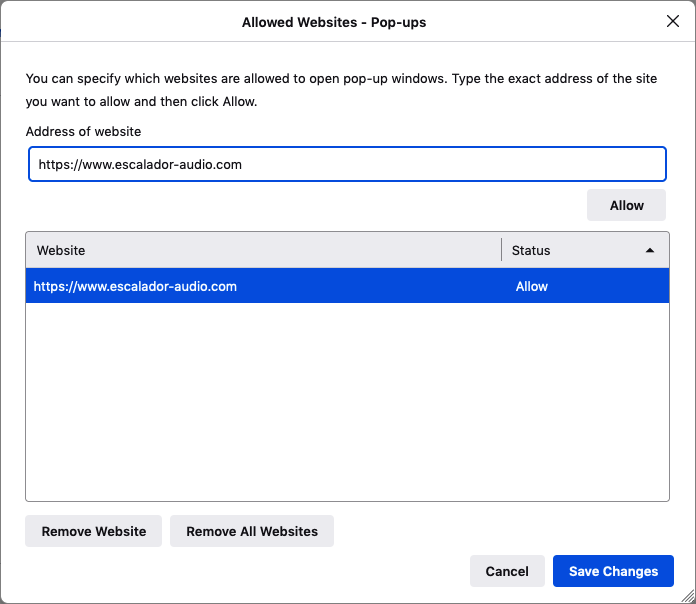
• Solution 2: (If you do not want to use pop-up windows with Firefox) click the Block pop-up windows square button

Then, click the Exceptions button (on the right) and allow the Escalador Audio URL


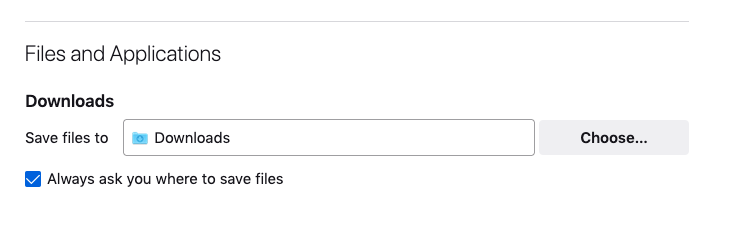
About saving scales, buttons, instruments, reverberations, etc. data with Firefox

In order to have the option for saving data parameters of data files created by Escalador Audio, you have to click “Always ask you where to save files” button


About some erratic behavior of Firefox

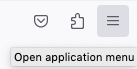
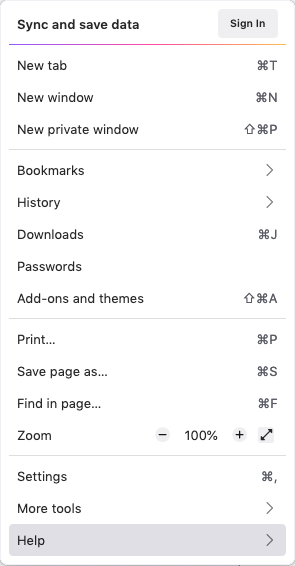
If you denote that Firefox is behaving erratic in some way, for example the audio or video are not functioning properly, you can try, for example to refresh Firefox as showed below. First, open the Application Menu…

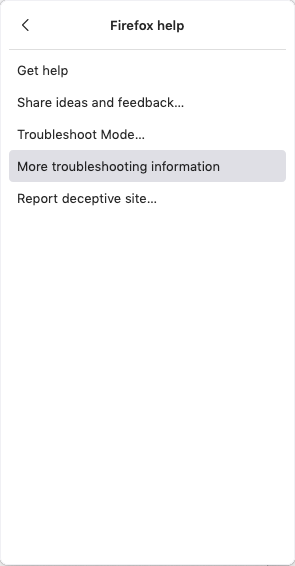
  Then click on the Help menu…

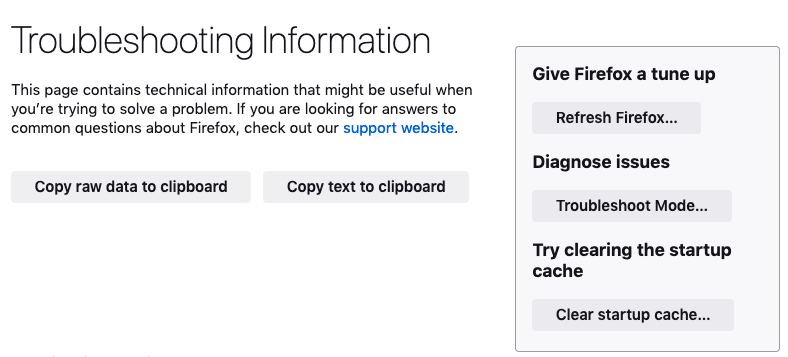
Then, click on the More troubleshooting information

Here you have the Firefox’s website where you have more information about troubleshoot and diagnose problems.


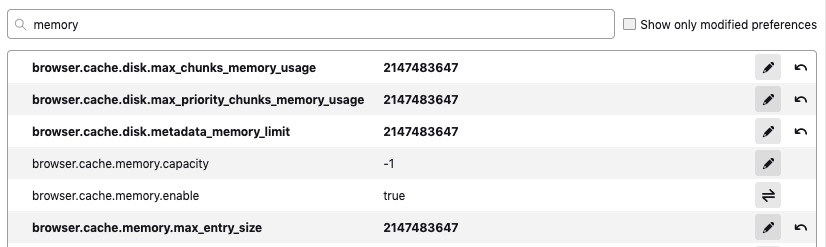
Increasing Firefox memory cache

About Firefox’s Memory:
browser.cache.disk
browser.cache.memory

We recommend to enter the value: 2147483647 on the browser preferences:

To perform this operation, go to Firefox’s url field:

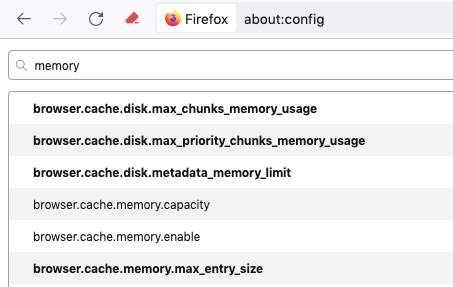
Write about:config as indicated below
Put memory on the search bar as indicated below
Put the number 2147483647 in each of the four browser preferences indicated below in bold characters 

Do not forget to put -1 into browser.cache.memory.capacity
and
true into browser.cache.memory.enable

• Close the Firefox window

Escalador, Escalador Audio

The computer keyboard

Working with data files


• A little reminder concerning the data files used to save:
Scales data, Instruments data, Reverberator data and Buttons data.

• For Scales data, the structure name is [Esca].txt. An example of a scale data file name can be: MyScale[Esca].txt

• For Instruments data, the structure name is [INST].txt. An example of a scale data file name can be: MyInstrument[INST].txt

• For Reverberator data, the structure name is [REV].txt. An example of a scale data file name can be: MyReverberation[REV].txt

• For Buttons data, the structure name is [BOT].txt. An example of a scale data file name can be: MyButtons[BOT].txt 

As you can imaging, loading, for example a data file for an instrument, lets say: Myscale[Esca.txt] will not work because of the structure of that file do not correspond to the structure data name for a Instrument data file: [INST].txt.