System requirements
Escalador – System Requirements
• Minimum requirements:
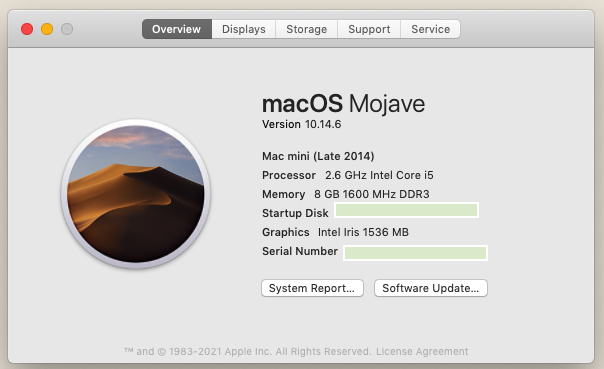
For a Macintosh computer, system Sierra or above is recommended.
A computer with at least a processor equivalent to a 2.6 GHz 64 Bit Intel Core i5 8 GB of RAM.
• Recommended: 16 GB of RAM or even more.
Of course, on Windows 10 or Linux (Ubuntu 20.04.4), it works fine using the requirements showed above.
• Important notice:
When using the Escalador Audio, on a computer with 8 GB of RAM, in some circumstances some non desired sound clicks or sound glitches could be heard because of the RAM memory had reached its maximum capacity.
• Important Issues found on Linux systems:
Because of a BUG on Linux, before launching Escalador and in order for Escalador Audio work properly, first run Firefox and then launch Escalador.
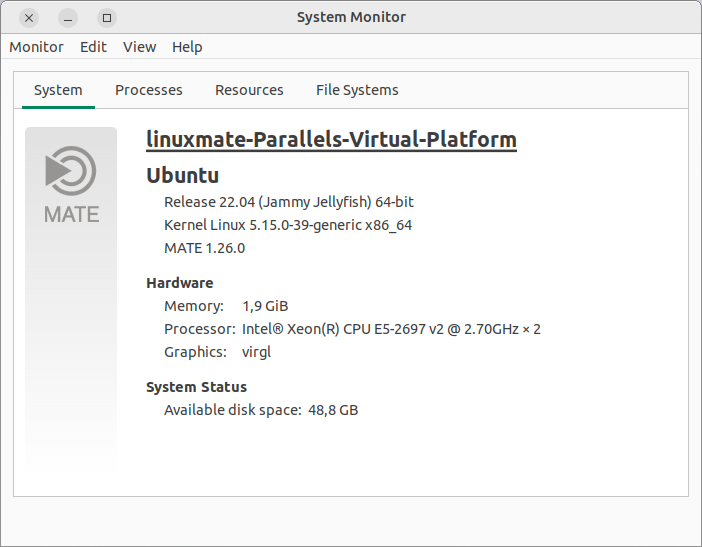
• Using the last version of Linux, on our case: Ubuntu Linux Mate 22.04, the BUG is not present.
• About erratic windows on Linux
• About MAC address on Linux
After launching for the first time Escalador, the Installer will ask you to enter your name and the License code.
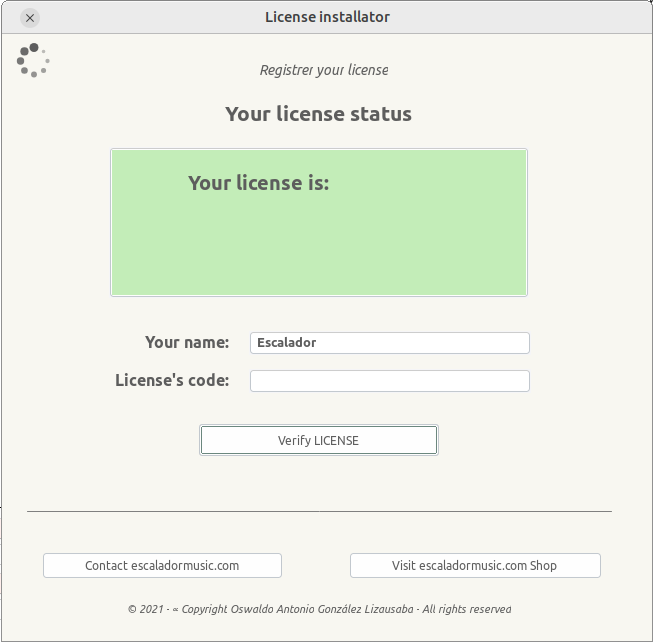
• After entering correctly your name and the License code, you see an idle window like the one showed below:
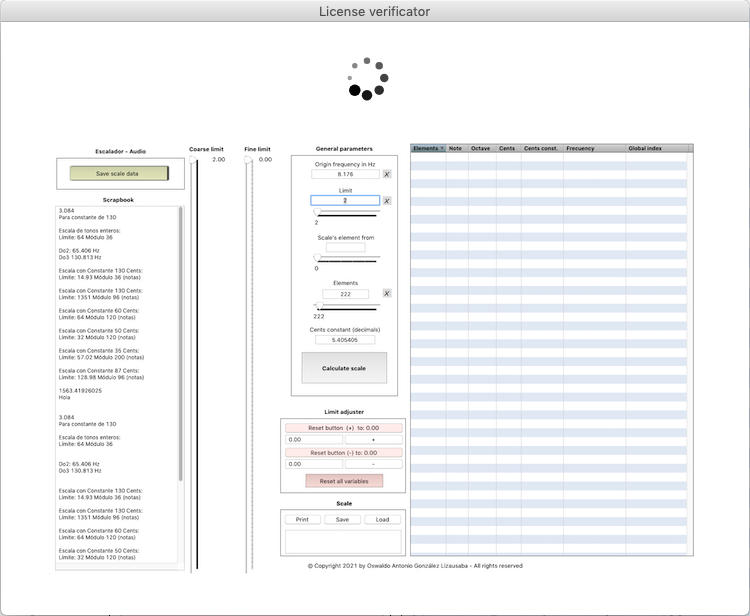
If it continues on the idle state, it means that your Linux system do not have yet a proper MAC address.
• To solve this problem, you have to stop the installation of Escalador, then:
1. Open your terminal program, and enter: ifconfig (then do an enter or return key)
If you see as a result: Command ‘ifconfig’ not found, but can be installed with: sudo apt install net-tools
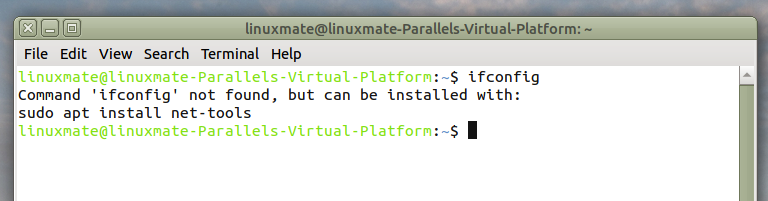
2. In order to solve the problem, on the terminal program simply put the line code:
sudo apt install net-tools
and then, your password
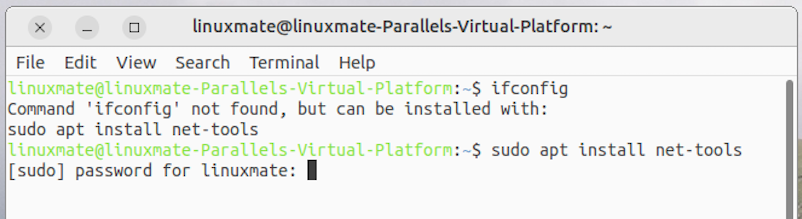
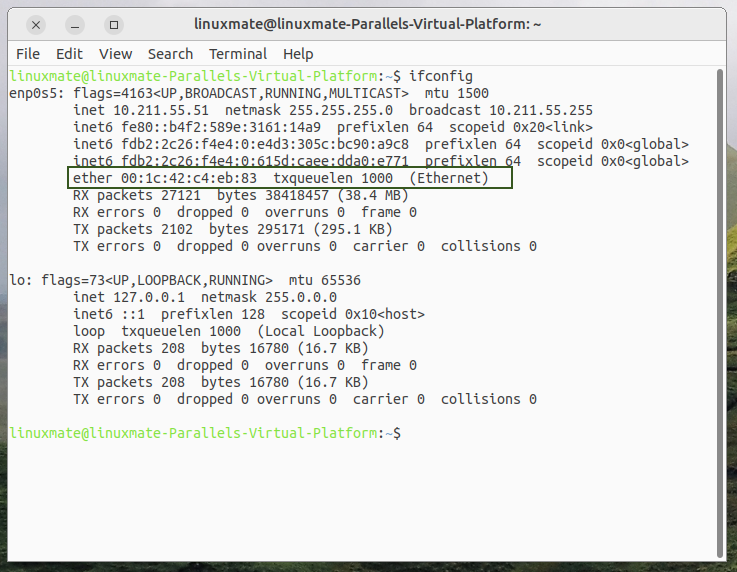
• Then, at the end of the process, it will show your MAC address on the terminal window and you will be able to install properly the Escalador.
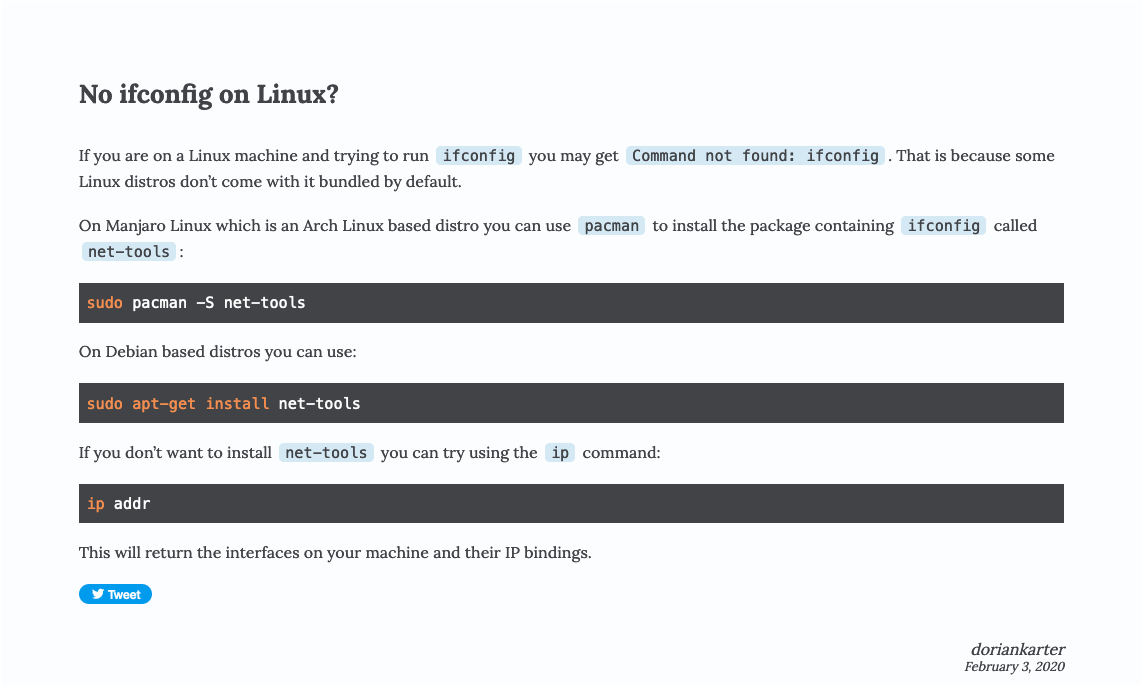
On Manjaro Linux which is an Arch Linux based distro you can use pacman to install the package containing ifconfig called net-tools:
sudo pacman -S net-tools
On Debian based distros you can use:
sudo apt-get install net-tools