
Escalador’s history
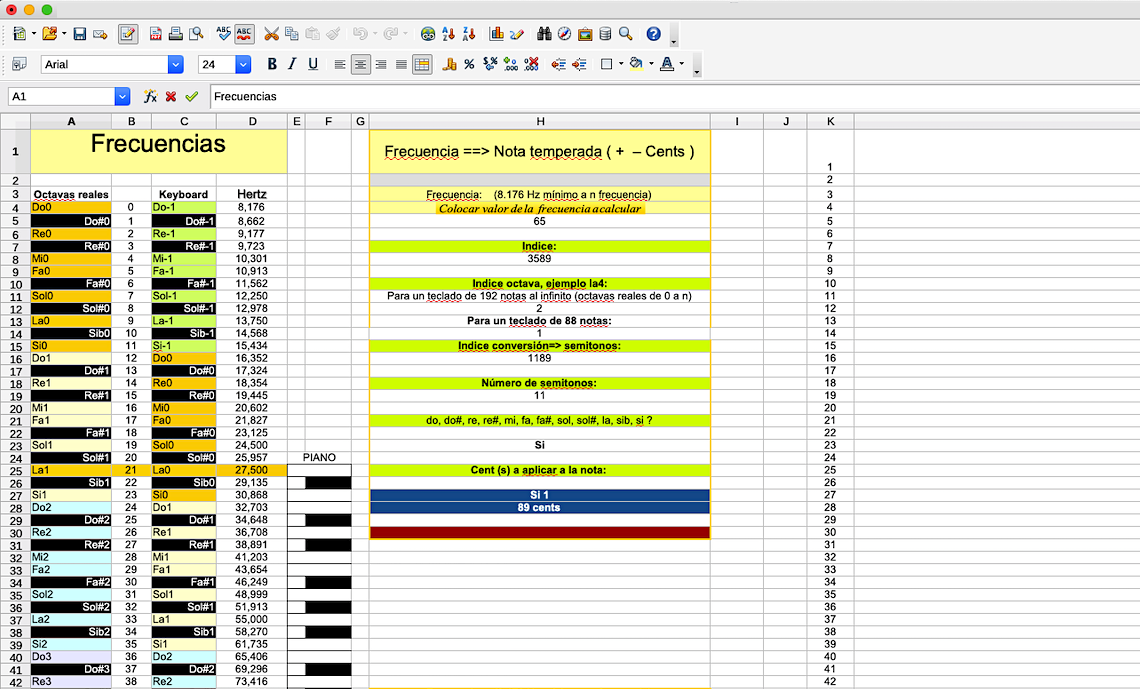
On may 2017, by thinking about how to construct sonic spaces related by elements other than tones or semitones, I began to implement some research ideas using conventional applications as a spreadsheet program. Little by little I was able to integrate some basic functions as for example, relating frequencies with their respective musical note names and calibrating the cents constants factors.
Then I realised that the spreadsheet program was too limited for the purpose of reaching more complex tasks. So I decided to develop a more appropriate platform to continue the research. At that point, I turned my research into an object-based computer language, offering the possibility to use many different types of objects as buttons, windows, fields, graphics, etc. In doing so, I created the application Which note is it?
Which note is it?
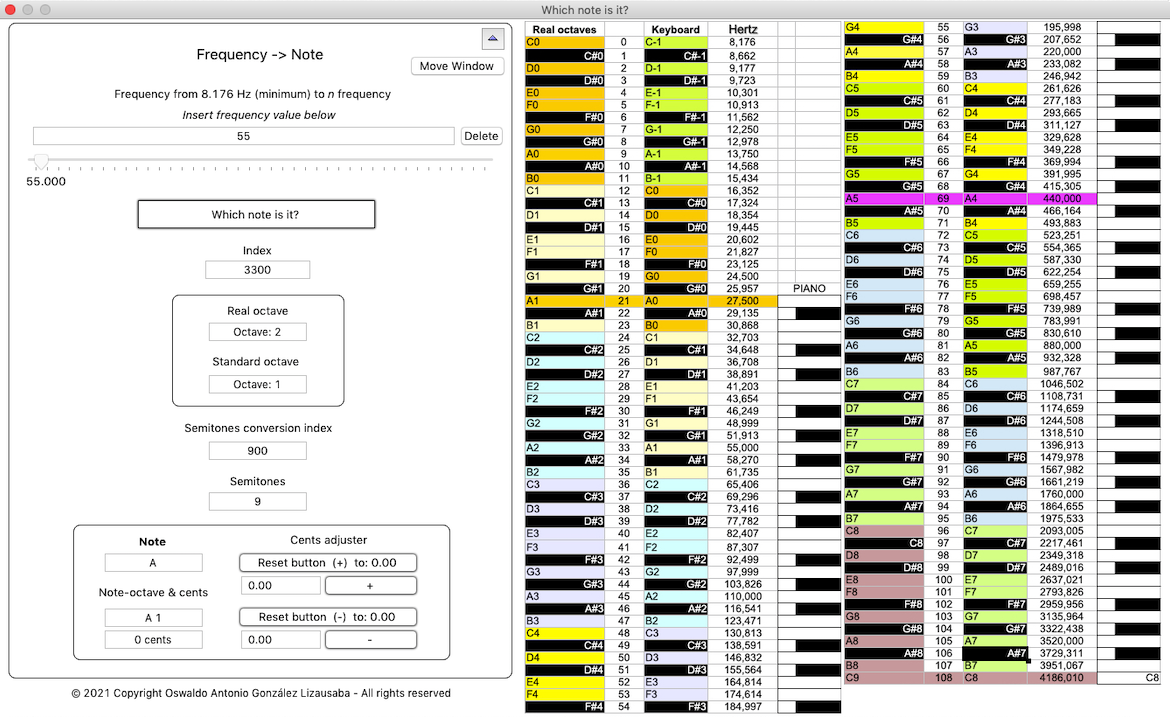
Figure 2: Which note is it? as a part of the Escalador platform
Since the application was ready to do some basic calculations, my idea was to extend the research into the possibility of making scales. That was the beginning of the Escalador platform. For more information about how does Which note is it? work, please click here.
The Escalador
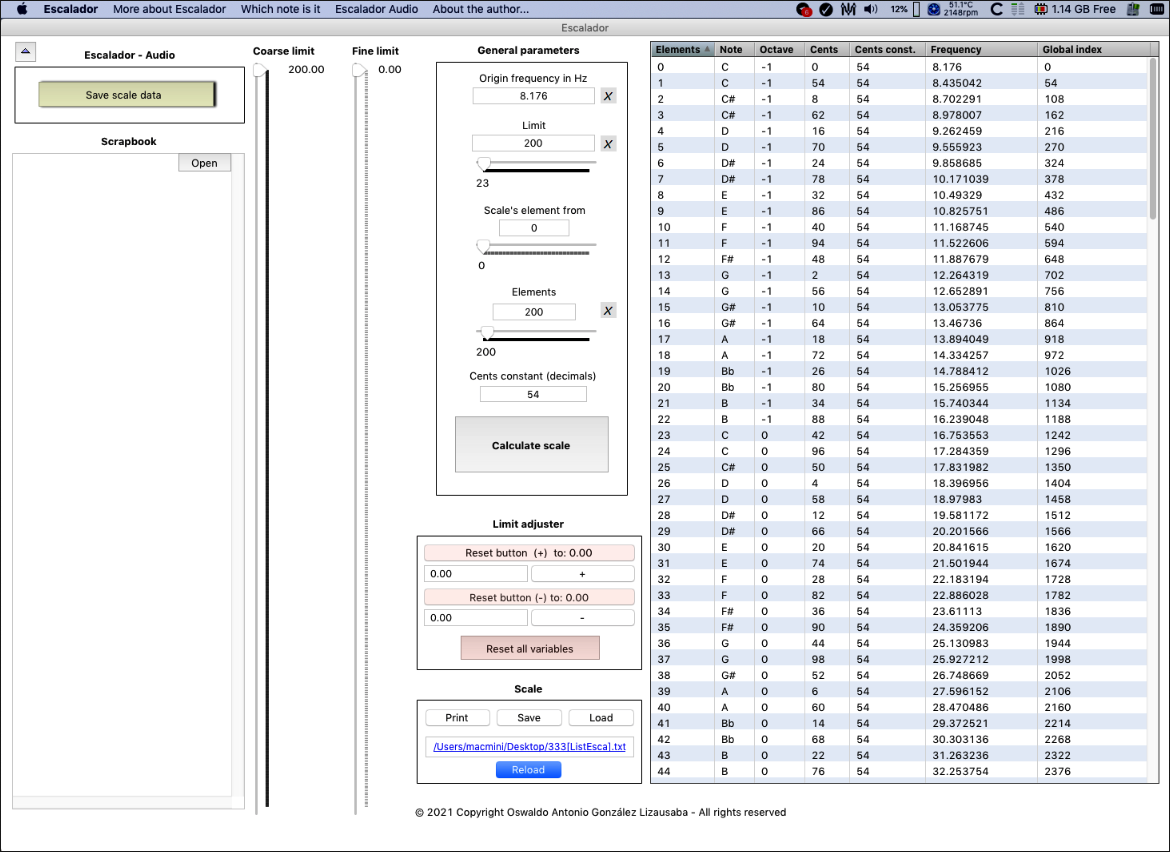
Escalador is a Spanish word. The sense I give to it is on the meaning of a music scale maker. So with Escalador we can make musical scales but also some other important calculations. For more information about how does Escalador work, please click here.
One of the most exiting things that can be done with Escalador is to make tempered and not tempered scales. For example a scale of 44 elements (notes or frequencies) divided say, for example, by 34 cents.
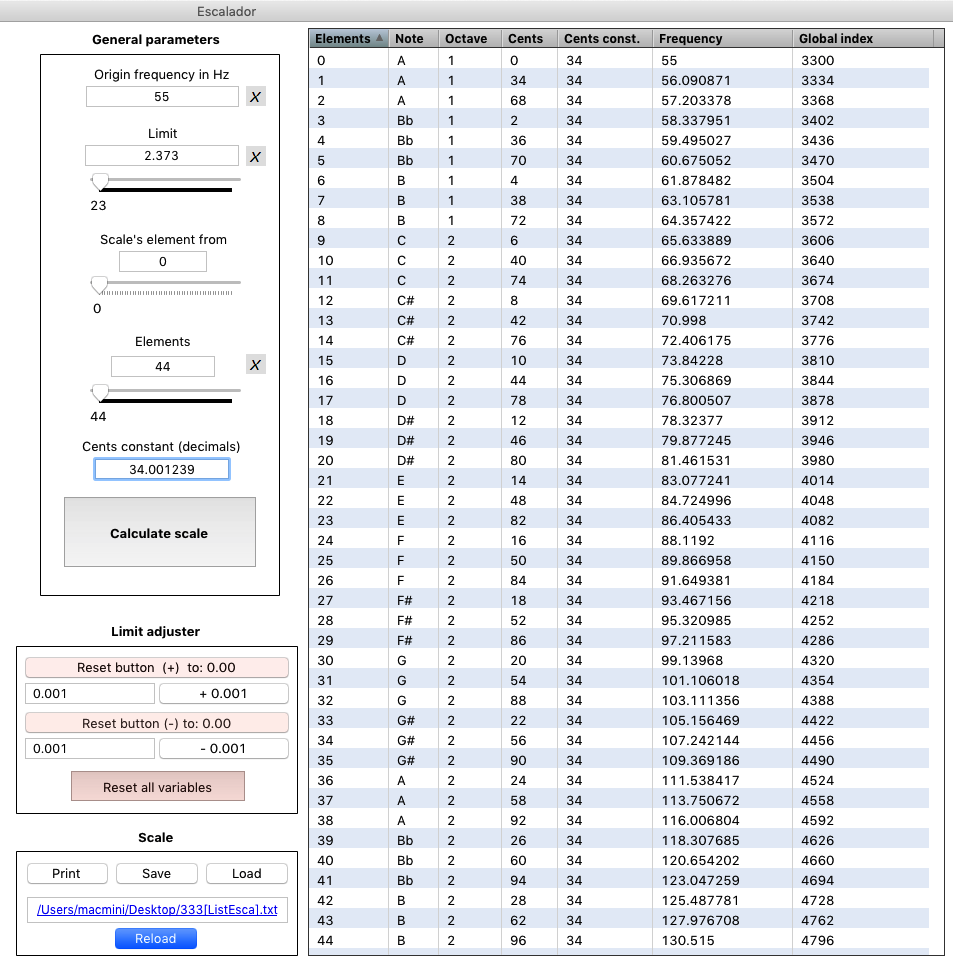
Or a tempered scale of 24 notes from C3 to C5
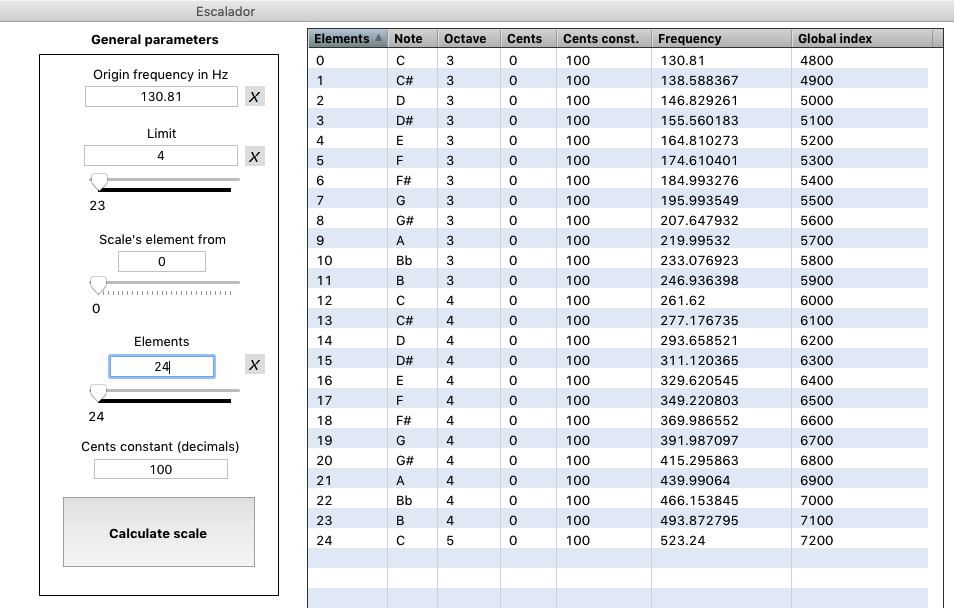
It was very good to see the results of these operations, but one problem emerged, how to hear the sounds?
As an answer of this crucial question, I thought to implement an application by which we could hear the sounds of the scales produced by Escalador.
At the beginning it was interesting to hear the scales, but then I transformed the application on a sort of (electronic) musical instrument. So the result is the Escalador Audio.
Escalador Audio

Now with Escalador Audio we can hear the scales, also play chords finally to make music. For more information about Escalador Audio, please click here.
